Open a 50 GB project straight from the cloud.
TurnDisk is a cloud drive for Mac, made for big files. It sits in Finder like an external disk, fetches only the parts of a file you’re using, and never fills your Mac’s own disk.
Mac app coming soon. Download the Mac app. Free plan: 1 GB, no card needed.
 TurnDisk
For people whose files are bigger than their Mac.
If your work comes in tens or hundreds of gigabytes, you’ve met the full-disk warning. TurnDisk keeps all of it one click away in Finder, without keeping it on your Mac.
Video editors
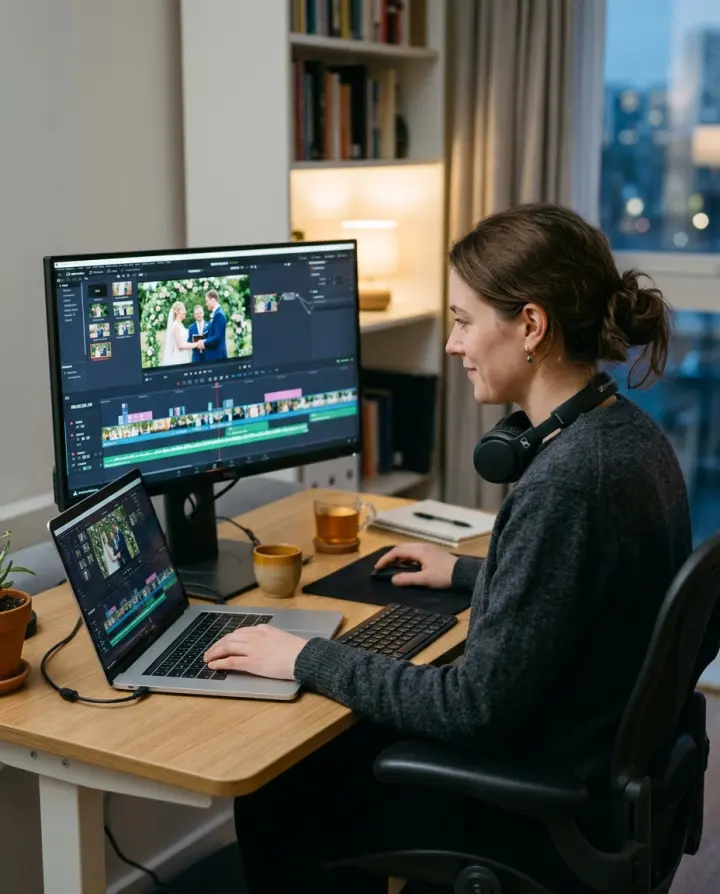
Cut from footage on the drive. Your editing app reads the frames it needs, and TurnDisk fetches them as you play and scrub.

Photographers
Keep every shoot on one drive without buying a bigger Mac. Open any raw file from any year when a client asks for it.

Music producers
Sessions, stems and bounces live in the cloud. The files you open come down as your app reads them and stay ready while you work.

Anyone on a small SSD
A 256 GB MacBook Air can still have your whole archive in Finder. It just doesn’t have to hold it.
What makes it different from a sync folder.
Most cloud storage copies files onto your Mac before an app can use them. TurnDisk reads them straight from the cloud, a piece at a time.
Big files play while they arrive
Open a 40 GB video and it starts without a 40 GB download first. TurnDisk fetches the part being played, plus a little ahead, and jumps straight to wherever you skip to.
It’s a disk, not a folder to keep in sync
TurnDisk mounts in Finder like an external drive. There’s nothing to choose to download and nothing to babysit. Every app sees ordinary files, because to the app it’s just a disk.
Your Mac’s disk stays free
TurnDisk keeps at most 5 GB of your files on your Mac, and you can change the limit. When it’s full, the files you haven’t opened for longest make room. They’re still on the drive, and come back when you open them.
Editing a big file doesn’t re-upload it
Change part of a big file and only the pieces that changed are sent, often a few megabytes. Uploads run in the background while you carry on, and pick up where they stopped if the connection drops.
The safety net you’d expect.
Mistakes happen, computers crash, two Macs edit the same file. Nothing here is unusual, and none of it is missing.
-
Bothversions kept
Two computers, one file? You keep both.
If the same file is changed on two computers at once, TurnDisk keeps both side by side, so nobody’s work is overwritten.
-
30 daysin the Trash
Deleted files wait in the Trash
Deleted something by mistake? It stays in TurnDisk’s Trash for 30 days, ready to restore.
-
30 daysof versions
Go back to an earlier version
Saved over something you needed? Earlier versions of a file can be restored for 30 days.
-
Keptthrough crashes
Crashes and power cuts don’t lose your work
Changes are held safely on your Mac until they’ve been uploaded, and are never cleared out to make room.
What TurnDisk doesn’t do yet.
Better to read it here than find out after you’ve moved 2 TB.
No sharing
You can’t share folders or send links yet. TurnDisk is for one person’s files on their own computers, not for a team.
Mac only, for now
Windows and Linux are planned. There’s no phone app, and no way to browse your files in a web browser.
No phone app or web access
TurnDisk runs on Mac and Windows, and Linux is planned. There’s no phone app, and no way to browse your files in a web browser.
Not end-to-end encrypted
Files are stored with Cloudflare, which encrypts them at rest, as most cloud storage does. TurnDisk staff never see what’s inside your files.
You need a connection for files you haven’t opened
Files you’ve opened recently, and folders you mark to keep offline, work without internet. Everything else is fetched when you open it.
Three steps to a drive in the cloud.
-
Create your account
Sign in on this website with Google or Apple. Your account starts on the Free plan with 1 GB.
-
Install TurnDisk on your Mac Coming soon
The Mac app isn’t available to download yet. When it is, sign in with the same Google or Apple account.
-
Install TurnDisk
Download the app, then sign in with the same Google or Apple account.
-
Move your big files onto it
TurnDisk appears in Finder like a disk. Drag your footage, photo library or sessions onto it, then delete the copies on your Mac once they’ve uploaded.
Download TurnDisk.
Install the app, sign in with the Google or Apple account you use here, and TurnDisk shows up as a drive on your computer.
One account and one plan cover every computer you sign in on.
Your account, your files, your call.
No new password to remember
Sign in with Google or Apple. TurnDisk never sees your password, and you can link both to one account.
See every computer signed in
Check which computers are signed in, and sign one out from another if it’s lost or sold.
Leave whenever you like
Export a copy of everything, or delete your account, at any time.
Pick how much space you need.
Every plan has every feature, on all your Macs. They differ only in space. Start free to see how it fits into your day, then upgrade when you move your library.
$0 forever
No card needed
Try TurnDisk in Finder with your everyday files.
Create free account$10 a month
Renews monthly, cancel any time
A full photo library, a season of shoots, or a stack of album sessions.
Choose Starter$30 a month
Renews monthly, cancel any time
For video work, years of raw files and archives that keep growing.
Choose ProPaid plans renew automatically every month or every year, and payments are handled by Razorpay. Cancel any time: your plan stays until the end of the period you’ve paid for, then your account goes back to Free.
Your files are never deleted when a plan ends. If you’re using more than 1 GB, you just can’t add more until you remove some files or upgrade again.
Questions people ask
Do I have to download a file before I can open it?
No. TurnDisk fetches the parts of a file an app reads, as it reads them, plus a little ahead. A video starts playing straight away and the rest arrives as you watch. Skip to the middle and TurnDisk fetches the middle, not everything before it.
Will TurnDisk fill up my Mac’s disk?
No. By default TurnDisk keeps at most 5 GB of your files on your Mac, and you can change that limit. When it’s full, the files you haven’t opened for longest make room. They stay on the drive and come back when you open them.
Changes that haven’t uploaded yet are never cleared out. Folders you mark to keep offline are kept on your Mac in full.
How is this different from a sync folder?
A sync folder copies files to your Mac and keeps the copies in step with the cloud. Apps usually wait for a whole file to download before they can use it. TurnDisk is a disk: apps read files from it directly, and only the parts they read come down. A 3 TB library doesn’t need 3 TB, or even 300 GB, on your Mac.
Where do I download TurnDisk?
From the download section on this page. Install it, then sign in with the same Google or Apple account you use on this website.
Can I download the Mac app now?
Not yet. The Mac app is coming soon. You can create your account now, and it’ll be ready to sign in to when the app arrives.
Can I share files or folders with other people?
Not yet. There are no shared folders or links, so TurnDisk is for your own files on your own computers.
Does it work on Linux or my phone?
Not yet. TurnDisk runs on Mac and Windows, and a Linux version is planned. There’s no phone app and no web file browser.
Does it work on Windows, Linux or my phone?
Not yet. TurnDisk is for the Mac first, and Windows and Linux versions are planned. There’s no phone app and no web file browser.
How big can a single file be?
Up to 1 TB per file, as long as it fits in your plan’s space.
What happens when I’m offline?
Files you’ve opened recently keep working, and so do folders you’ve chosen to keep offline. Changes you make are saved on your Mac and upload by themselves when you’re back online.
What if the same file is changed on two computers?
TurnDisk keeps both versions side by side, so neither change is lost. You decide which to keep.
I deleted or overwrote something. Can I get it back?
Yes, for 30 days. Deleted files go to TurnDisk’s Trash and can be restored for 30 days. Earlier versions of a file can also be restored for 30 days.
Can TurnDisk see my files?
TurnDisk staff never see what’s inside your files. Your files are stored with Cloudflare, which encrypts them at rest.
To be clear about what that means: this is not end-to-end encryption. To help with support, TurnDisk can see account details, how much space you use, and the names and sizes of files and folders. The privacy policy has the details.
Does one plan cover all my computers?
Yes. A plan belongs to your TurnDisk account, so it applies on every computer you sign in to with that account.
How do I cancel?
Sign in on the account page and choose Cancel subscription. Your plan stays until the end of the period you’ve paid for, then your account goes back to Free. Your files are never deleted. See the cancellation and refund policy.
Stop deleting files to make room.
Create your free account now. It’ll be waiting for you the day the Mac app arrives.
Create your free account, download the app, and sign in. Your files are in Finder from then on.